To export inventory:
The export inventory will export all details for consigned products available at WMT side. The product details below will be exported:
- Name
- Seller SKU
- Jumia SKU
- Sellable Stock
- Picked Stock
- Packed Stock
- Shipped Stock
- Quarantined Stock
- Defective Stock
- Returned Shipped Stock
- Lost Stock
- Defective Damaged Stock
To do an export you need to do the following steps.
After accessing VC:
Step 1
-
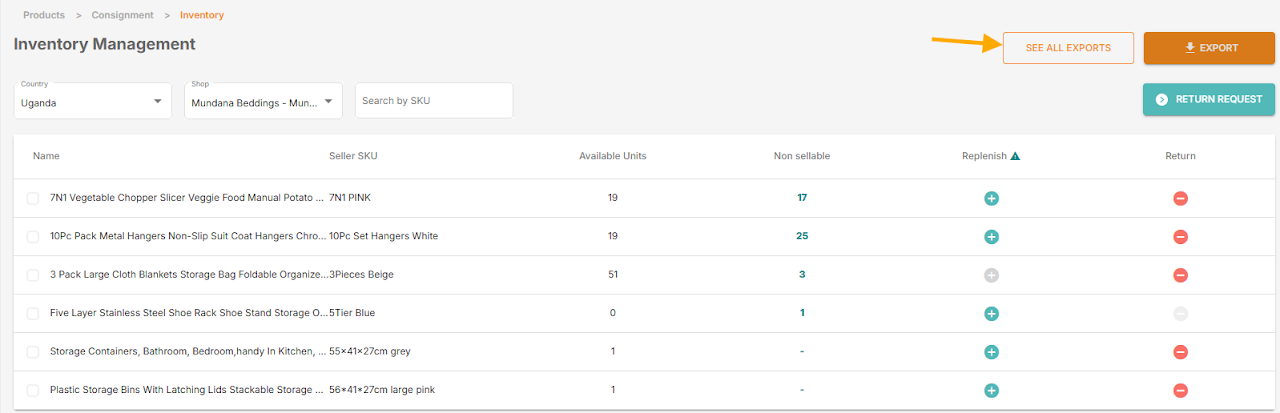
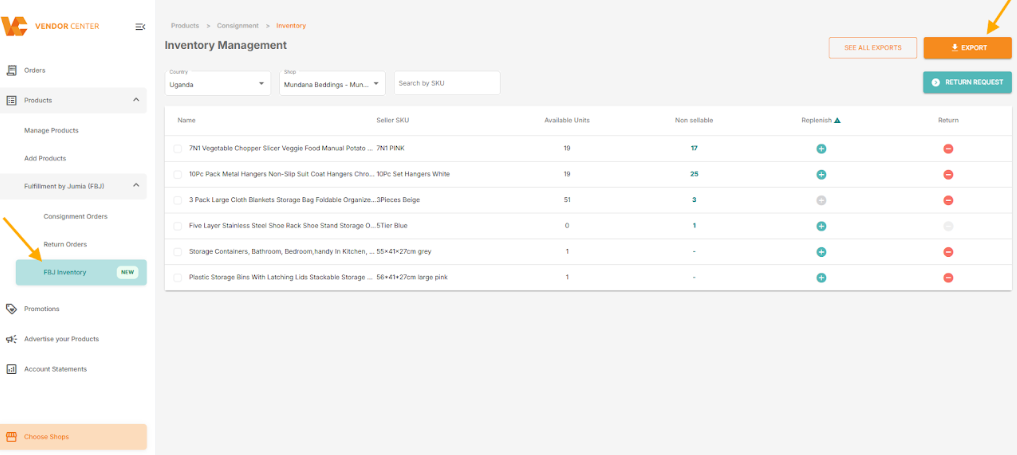
From FBJ Inventory menu choose the new action “EXPORT”
Step 2
Confirm the shop and country to export. Here, you can change the shop if you are in a master shop, or change the country of the export for global sellers.

Step 3
You will see a message that your export is in progress.

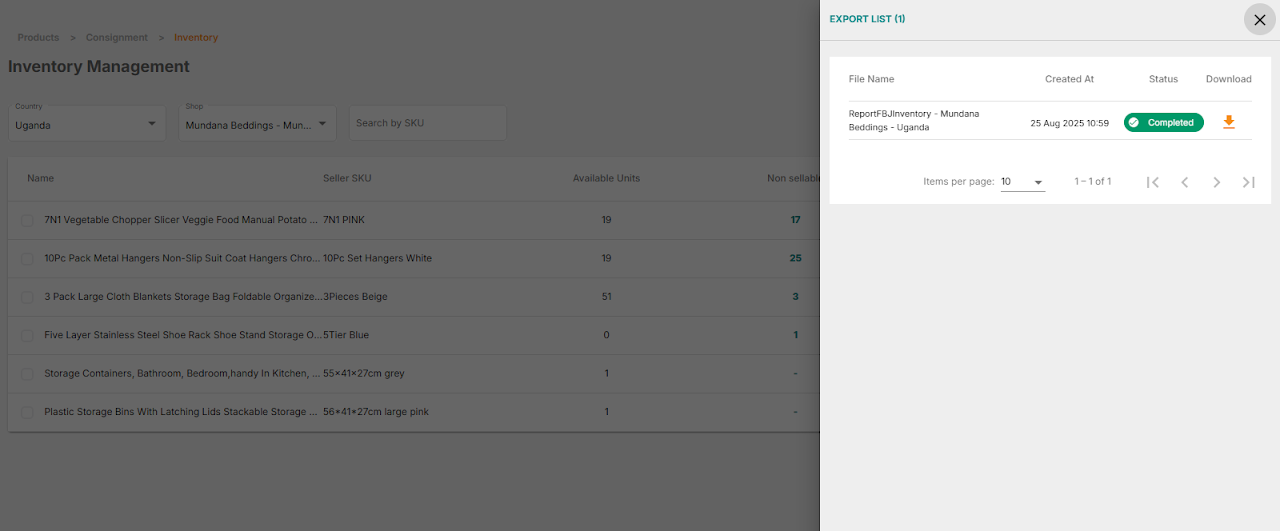
Note: You can always monitor the current export or view the history of old exports to download the report from “SEE ALL EXPORTS“. This view will show all master shop’ shops and all countries exported by the logged in user. And the lifetime for history retention is 7 days, afterwards the old extract history record will be deleted.